Constrained peek so you can sanity-check the source material without leaving the site.
mcp
MCP Server for Interacting with Salesforce Orgs
Feedback
Report bugs and issues here.
For feature requests and other related topics, start a Discussion here.
Documentation
For general documentation about the Salesforce DX MCP Server, see this section in the Salesforce DX Developer Guide. The docs include:
- Comprehensive overview, including details about the security features.
- Quick start guide.
- Multiple examples of configuring the server in your MCP client.
- Sample prompts for invoking the core DX MCP tools.
Here are the release notes.
Overview of the Salesforce DX MCP Server (Beta)
The Salesforce DX MCP Server is a specialized Model Context Protocol (MCP) implementation designed to facilitate seamless interaction between large language models (LLMs) and Salesforce orgs. This MCP server provides a robust set of tools and capabilities that enable LLMs to read, manage, and operate Salesforce resources securely.
[!NOTE]
Salesforce DX MCP Server is a pilot or beta service that is subject to the Beta Services Terms at Agreements - Salesforce.com or a written Unified Pilot Agreement if executed by Customer, and applicable terms in the Product Terms Directory. Use of this pilot or beta service is at the Customer's sole discretion.
Configure the DX MCP Server
Configure the Salesforce DX MCP Server for your MCP client by updating its associated MCP JSON file; each client is slightly different, so check your MCP client documentation for details. See MCP Client Configurations for more examples.
Here's an example for VS Code with Copilot in which you create and update a .vscode/mcp.json file in your project:
{
  "servers": {
    "Salesforce DX": {
      "command": "npx",
      "args": ["-y", "@salesforce/mcp",
              "--orgs", "DEFAULT_TARGET_ORG",
              "--toolsets", "orgs,metadata,data,users",
              "--tools", "run_apex_test",
              "--allow-non-ga-tools"]
    }
  }
}
The args format shown in the preceding example is the same for all MCP clients; it's how you customize the DX MCP Server for your particular environment.
Notes:
- The
"-y", "@salesforce/mcp" part tells npx to automatically install the @salesforce/mcp package instead of asking permission. Don't change this.
- For possible flags that you can pass to the
args option, and the possible values that you can pass to the --orgs, --toolsets, and --tools flags, see these sections:
- Available Flags for the
args Option
- Configure Orgs
- Configure Toolsets
- Configure Tools
- When writing the
args option, surround both the flag names and their values in double quotes, and separate all flags and values with commas. Some flags are Boolean and don't take a value.
- The preceding example shows three flags that take a string value (
--orgs, --toolsets, and --tools) and one Boolean flag (--allow-non-ga-tools). This configuration starts a DX MCP Server that enables all the MCP tools in the orgs, metadata, data, and users toolsets and a specific tool called run_apex_tests. It also enables tools in these configured toolsets that aren't yet generally available.
MCP Client Configurations
Here are examples of configuring the Salesforce DX MCP Server in various MCP clients.
Claude Code
To configure Claude Code to work with Salesforce DX MCP Server, add this snippet to the .mcp.json file in your project:
{
  "mcpServers": {
    "Salesforce DX": {
      "command": "npx",
      "args": ["-y", "@salesforce/mcp",
               "--orgs", "DEFAULT_TARGET_ORG",
               "--toolsets", "orgs,metadata,data,users",
               "--tools", "run_apex_test",
               "--allow-non-ga-tools"]
    }
  }
}
Cline
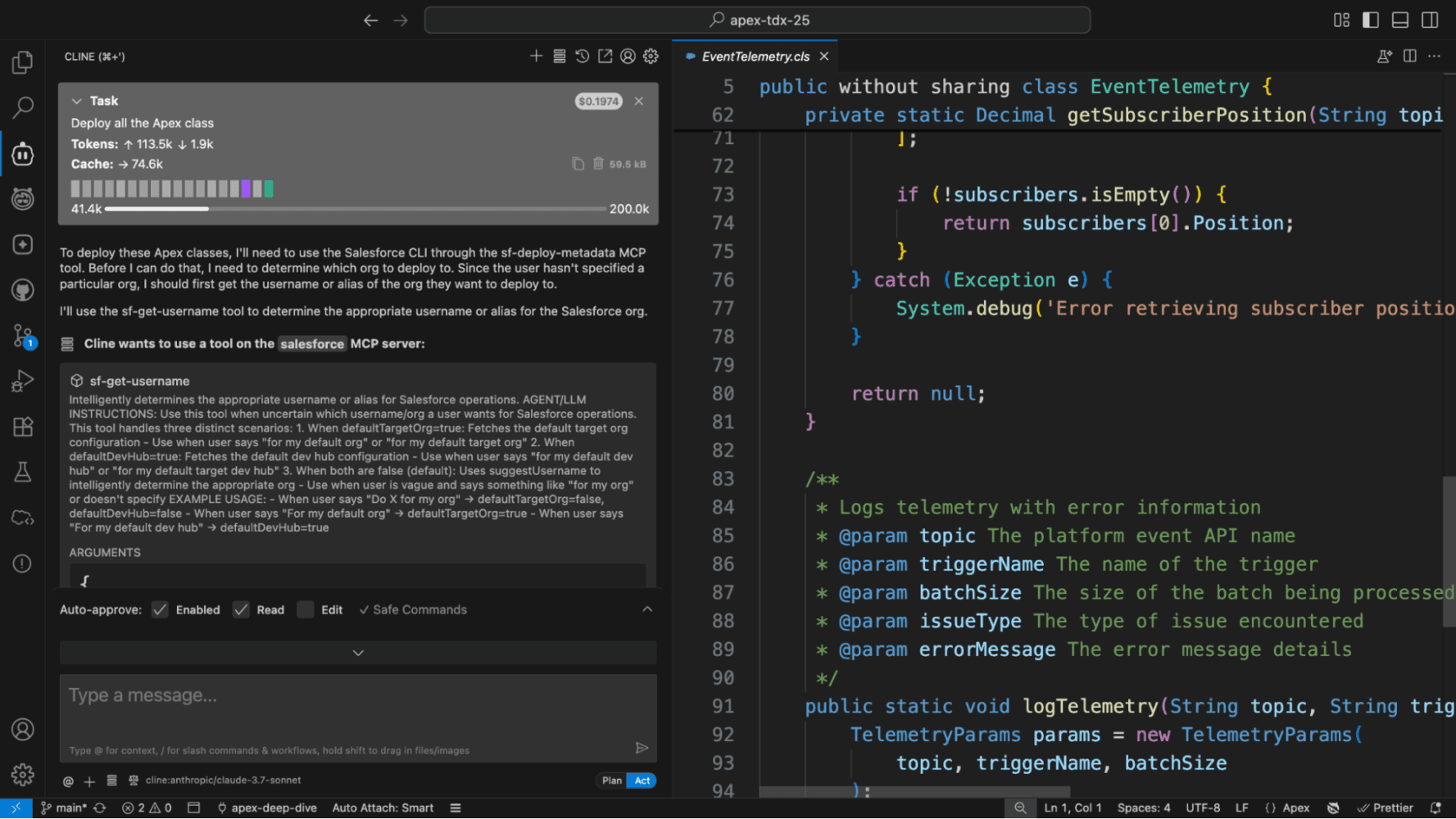
To configure Cline to work with Salesforce DX MCP Server, add this snippet to your Cline cline_mcp_settings.json file:
{
  "mcpServers": {
    "Salesforce DX": {
      "command": "npx",
      "args": ["-y", "@salesforce/mcp@latest",
              "--orgs", "DEFAULT_TARGET_ORG",
              "--toolsets", "orgs,metadata,data,users",
              "--tools", "run_apex_test",
              "--allow-non-ga-tools"]
    }
  }
}
Cursor
To configure Cursor to work with Salesforce DX MCP Server, add this snippet to your Cursor mcp.json file:
{
  "mcpServers": {
    "Salesforce DX": {
      "command": "npx",
      "args": ["-y", "@salesforce/mcp@latest",
              "--orgs", "DEFAULT_TARGET_ORG",
              "--toolsets", "orgs,metadata,data,users",
              "--tools", "run_apex_test",
              "--allow-non-ga-tools"]
    }
  }
}
Other MCP Clients
For these other clients, refer to their documentation for adding MCP servers and follow the same pattern as in the preceding examples to configure the Salesforce DX MCP Server:
Available Flags for the "args" Option
These are the flags that you can pass to the args option.
| Flag Name | Description | Required? | Notes |
|---|
--allow-non-ga-tools | Boolean flag to allow the DX MCP Server to use both the generally available (GA) and NON-GA tools that are in the toolsets or tools you specify. | No | By default, the DX MCP server uses only the tools marked GA. |
--debug | Boolean flag that requests that the DX MCP Server print debug logs. | No | Debug mode is disabled by default. <br/> <br/>NOTE: Not all MCP clients expose MCP logs, so this flag might not work for all IDEs. |
--dynamic-tools | (experimental) Boolean flag that enables dynamic tool discovery and loading. When specified, the DX MCP server starts with a minimal set of core tools and loads new tools as needed. | No | This flag is useful for reducing the initial context size and improving LLM performance. Dynamic tool discovery is disabled by default.<br/> <br/>NOTE: This feature works in VSCode and Cline but may not work in other environments. |