Constrained peek so you can sanity-check the source material without leaving the site.
figma-use
⚠️ Figma 126+ blocks remote debugging. figma-use still works via figma-use daemon start --pipe. Or skip Figma entirely with OpenPencil — an open-source design editor that reads and writes .fig files, with built-in AI and P2P collaboration.
CLI for Figma. Control it from the terminal — with commands or JSX.
# Create and style
figma-use create frame --width 400 --height 300 --fill "#FFF" --layout VERTICAL --gap 16
figma-use create icon mdi:home --size 32 --color "#3B82F6"
figma-use set layout 1:23 --mode GRID --cols "1fr 1fr 1fr" --gap 16

# Or render JSX
echo '<Frame style={{display: "grid", cols: "1fr 1fr", gap: 16}}>
  <Frame style={{bg: "#3B82F6", h: 100}} />
  <Frame style={{bg: "#10B981", h: 100}} />
</Frame>' | figma-use render --stdin --x 100 --y 100
Why
Figma's official MCP plugin can read files but can't modify them. This one can.
LLMs know CLI. LLMs know React. This combines both.
CLI commands are compact — easy to read, easy to generate, easy to chain. When a task involves dozens of operations, every saved token matters.
JSX is how LLMs already think about UI. They've seen millions of React components. Describing a Figma layout as <Frame><Text> is natural for them — no special training, no verbose schemas.
Demo
<table>
<tr>
<td width="50%">
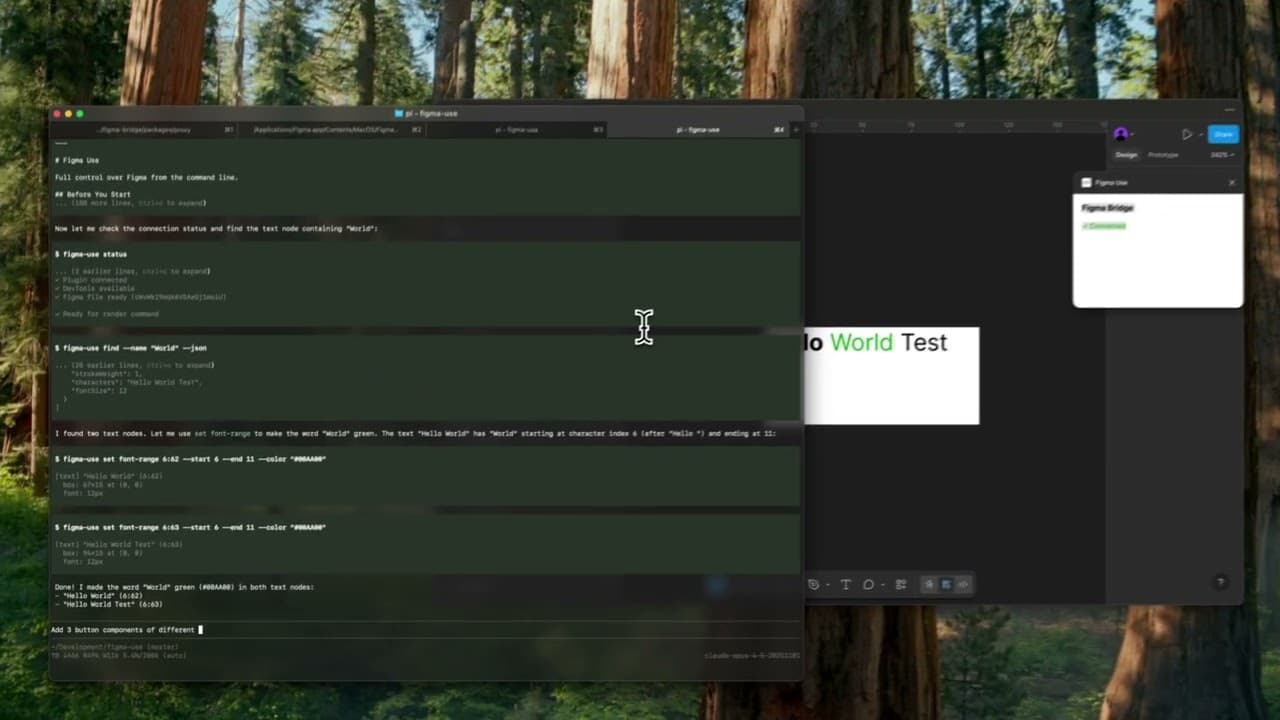
<a href="https://youtu.be/9eSYVZRle7o">
<img src="https://img.youtube.com/vi/9eSYVZRle7o/maxresdefault.jpg" alt="Button components demo" width="100%">
</a>
<p align="center"><b>▶️ Button components</b></p>
</td>
<td width="50%">
<a href="https://youtu.be/efJWp2Drzb4">
<img src="https://img.youtube.com/vi/efJWp2Drzb4/maxresdefault.jpg" alt="Calendar demo" width="100%">
</a>
<p align="center"><b>▶️ Tailwind UI calendar</b></p>
</td>
</tr>
</table>
Installation
npm install -g figma-use
Or run directly without installing:
npx figma-use status
Start Figma with remote debugging enabled:
# macOS
open -a Figma --args --remote-debugging-port=9222

# Windows
"%LOCALAPPDATA%\Figma\Figma.exe" --remote-debugging-port=9222

# Linux
figma --remote-debugging-port=9222
Check connection:
figma-use status
That's it. No plugins to install.
Two Modes
Imperative — one command at a time:
figma-use create frame --width 400 --height 300 --fill "#FFF" --radius 12 --layout VERTICAL --gap 16
Or declaratively — describe the structure in JSX and render it:
echo '<Frame style={{p: 24, gap: 16, flex: "col", bg: "#FFF", rounded: 12}}>
  <Text style={{size: 24, weight: "bold", color: "#000"}}>Card Title</Text>
  <Text style={{size: 14, color: "#666"}}>Description</Text>
</Frame>' | figma-use render --stdin --x 100 --y 200
The stdin mode accepts pure JSX only — no variables, no logic. For components, variants, and conditions, use .figma.tsx files.
Elements: Frame, Rectangle, Ellipse, Text, Line, Star, Polygon, Vector, Group, Icon, Image
Examples
Icons
Insert any icon from Iconify by name. No downloading, no importing, no cleanup.
figma-use create icon mdi:home
figma-use create icon lucide:star --size 48 --color "#F59E0B"
In JSX:
<Frame style={{ flex: 'row', gap: 8 }}>
  <Icon icon="mdi:home" size={24} color="#3B82F6" />
  <Icon icon="lucide:star" size={32} color="#F59E0B" />
</Frame>
Browse 150k+ icons: icon-sets.iconify.design
Images
Load images from URL:
<Image src="https://example.com/photo.jpg" w={200} h={150} />
Export to JSX
Convert any Figma node back to JSX:
figma-use export jsx 123:456 --pretty