strong2026-03-20
GitHub: 28,016 stars, 2,556 forksMore stars than GPT Researcher. Stanford pedigree adds credibility.
GitHub communityGitHub community
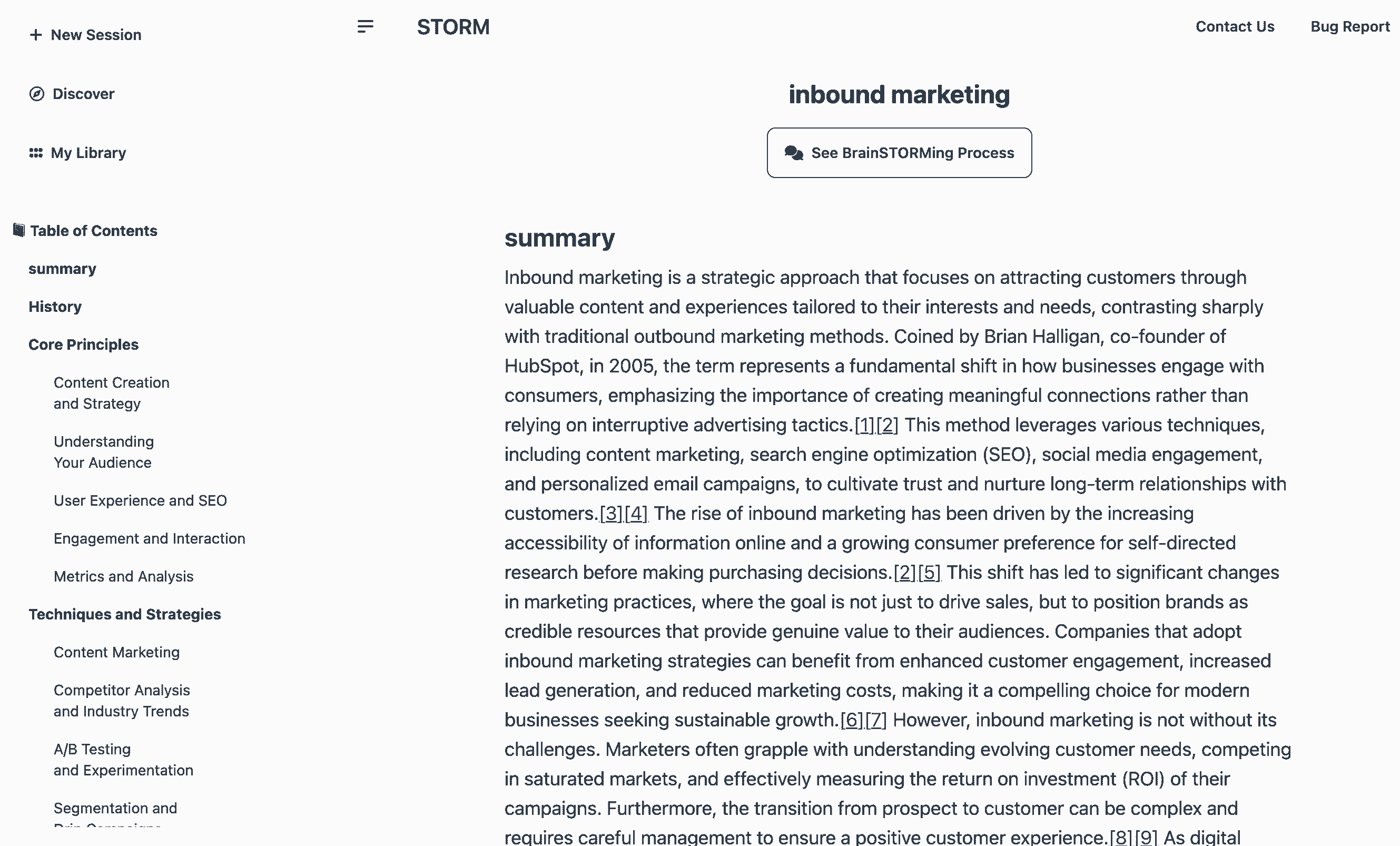
Stanford's LLM-powered knowledge curation system. Generates Wikipedia-style articles with citations in ~3 min. 28K stars, 84.8% citation recall / 85.2% precision (peer-reviewed). MIT license.
Where it wins
28,016 stars, 2,556 forks — more stars than GPT Researcher
84.83% citation recall, 85.18% citation precision — peer-reviewed (arXiv)
Wikipedia-style article generation — unique approach
Co-STORM collaborative research mode (EMNLP 2024)
Stanford OVAL pedigree — strong academic credibility
MIT license
Live demo at storm.genie.stanford.edu
Where to be skeptical
No MCP integration — harder to plug into agent workflows
Article-oriented output — less flexible than report-style tools
Academic origin — less polished UX than commercial tools
No dedicated SDK or API beyond the repo
Editorial verdict
#6 in research. Best for structured knowledge curation — Wikipedia-style article generation with peer-reviewed citation quality (84.8% recall, 85.2% precision). Stanford pedigree, Co-STORM collaborative mode (EMNLP 2024). Less practical for agentic workflows than GPT Researcher.
Related
GPT Researcher
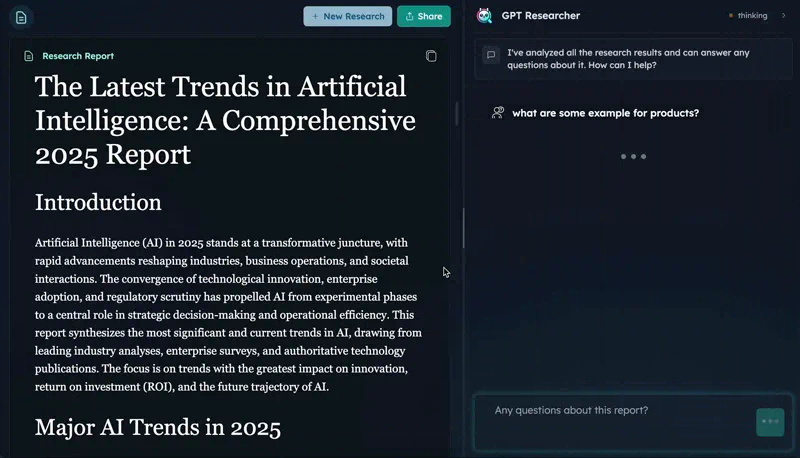
89Open-source autonomous deep research agent. CMU DeepResearchGym #1 on citation quality, report quality, info coverage. 25.8K stars, 15.9K weekly PyPI downloads. Apache 2.0.
Tongyi DeepResearch
82First fully open-source deep research agent matching closed-source leaders on benchmarks. HLE 32.9 (exceeds OpenAI's 26.6), 30.5B params / 3.3B active (MoE), runs locally. 18.5K stars. Apache 2.0.
Perplexity Deep Research
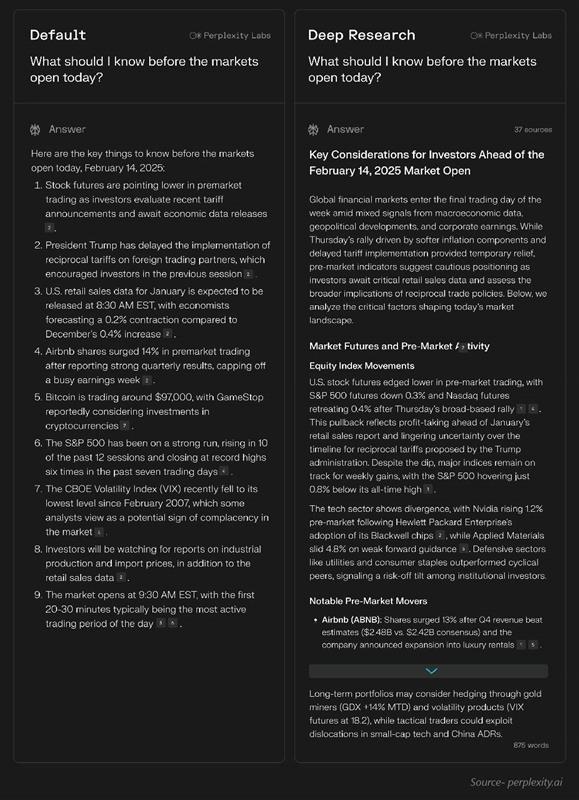
43Research-first search engine with inline citations. Fastest deep research (15-30s), 93.9% SimpleQA accuracy, 50+ sources per report. $20/mo Pro.
OpenAI Deep Research
42Agentic research mode powered by o3/o4-mini. 26.6% HLE (highest of any system), 72.57% GAIA, MCP support (Feb 2026). Slower (3-15 min) but deepest reasoning.
Public evidence
More stars than GPT Researcher. Stanford pedigree adds credibility.
Strong community interest for an academic research tool.
Published in peer-reviewed venue with specific metrics. High precision = claims backed by sources.
Wikipedia editors validated quality — real expert evaluation.
Academic conference acceptance validates the collaborative research approach.
Raw GitHub source
Constrained peek so you can sanity-check the source material without leaving the site.
[2025/01] We add litellm integration for language models and embedding models in knowledge-storm v1.1.0.
[2024/09] Co-STORM codebase is now released and integrated into knowledge-storm python package v1.0.0. Run pip install knowledge-storm --upgrade to check it out.
[2024/09] We introduce collaborative STORM (Co-STORM) to support human-AI collaborative knowledge curation! Co-STORM Paper has been accepted to EMNLP 2024 main conference.
[2024/07] You can now install our package with pip install knowledge-storm!
[2024/07] We add VectorRM to support grounding on user-provided documents, complementing existing support of search engines (YouRM, BingSearch). (check out #58)
[2024/07] We release demo light for developers a minimal user interface built with streamlit framework in Python, handy for local development and demo hosting (checkout #54)
[2024/06] We will present STORM at NAACL 2024! Find us at Poster Session 2 on June 17 or check our presentation material.
[2024/05] We add Bing Search support in rm.py. Test STORM with GPT-4o - we now configure the article generation part in our demo using GPT-4o model.
[2024/04] We release refactored version of STORM codebase! We define interface for STORM pipeline and reimplement STORM-wiki (check out src/storm_wiki) to demonstrate how to instantiate the pipeline. We provide API to support customization of different language models and retrieval/search integration.
While the system cannot produce publication-ready articles that often require a significant number of edits, experienced Wikipedia editors have found it helpful in their pre-writing stage.
More than 70,000 people have tried our live research preview. Try it out to see how STORM can help your knowledge exploration journey and please provide feedback to help us improve the system 🙏!
STORM breaks down generating long articles with citations into two steps:
STORM identifies the core of automating the research process as automatically coming up with good questions to ask. Directly prompting the language model to ask questions does not work well. To improve the depth and breadth of the questions, STORM adopts two strategies:
Co-STORM proposes a collaborative discourse protocol which implements a turn management policy to support smooth collaboration among
Co-STORM also maintains a dynamic updated mind map, which organize collected information into a hierarchical concept structure, aiming to build a shared conceptual space between the human user and the system. The mind map has been proven to help reduce the mental load when the discourse goes long and in-depth.
Both STORM and Co-STORM are implemented in a highly modular way using dspy.
To install the knowledge storm library, use pip install knowledge-storm.
You could also install the source code which allows you to modify the behavior of STORM engine directly.
Clone the git repository.
git clone https://github.com/stanford-oval/storm.git
cd storm
Install the required packages.
conda create -n storm python=3.11
conda activate storm
pip install -r requirements.txt
Currently, our package support:
YouRM, BingSearch, VectorRM, SerperRM, BraveRM, SearXNG, DuckDuckGoSearchRM, TavilySearchRM, GoogleSearch, and AzureAISearch as:star2: PRs for integrating more search engines/retrievers into knowledge_storm/rm.py are highly appreciated!
Both STORM and Co-STORM are working in the information curation layer, you need to set up the information retrieval module and language model module to create their Runner classes respectively.
The STORM knowledge curation engine is defined as a simple Python STORMWikiRunner class. Here is an example of using You.com search engine and OpenAI models.
import os
from knowledge_storm import STORMWikiRunnerArguments, STORMWikiRunner, STORMWikiLMConfigs
from knowledge_storm.lm import LitellmModel
from knowledge_storm.rm import YouRM

lm_configs = STORMWikiLMConfigs()
openai_kwargs = {
    'api_key': os.getenv("OPENAI_API_KEY"),
    'temperature': 1.0,
    'top_p': 0.9,
}
# STORM is a LM system so different components can be powered by different models to reach a good balance between cost and quality.
# For a good practice, choose a cheaper/faster model for `conv_simulator_lm` which is used to split queries, synthesize answers in the conversation.
# Choose a more powerful model for `article_gen_lm` to generate verifiable text with citations.
gpt_35 = LitellmModel(model='gpt-3.5-turbo', max_tokens=500, **openai_kwargs)
gpt_4 = LitellmModel(model='gpt-4o', max_tokens=3000, **openai_kwargs)
lm_configs.set_conv_simulator_lm(gpt_35)
lm_configs.set_question_asker_lm(gpt_35)
lm_configs.set_outline_gen_lm(gpt_4)
lm_configs.set_article_gen_lm(gpt_4)
lm_configs.set_article_polish_lm(gpt_4)
# Check out the STORMWikiRunnerArguments class for more configurations.
engine_args = STORMWikiRunnerArguments(...)
rm = YouRM(ydc_api_key=os.getenv('YDC_API_KEY'), k=engine_args.search_top_k)
runner = STORMWikiRunner(engine_args, lm_configs, rm)
The STORMWikiRunner instance can be evoked with the simple run method:
topic = input('Topic: ')
runner.run(
    topic=topic,
    do_research=True,