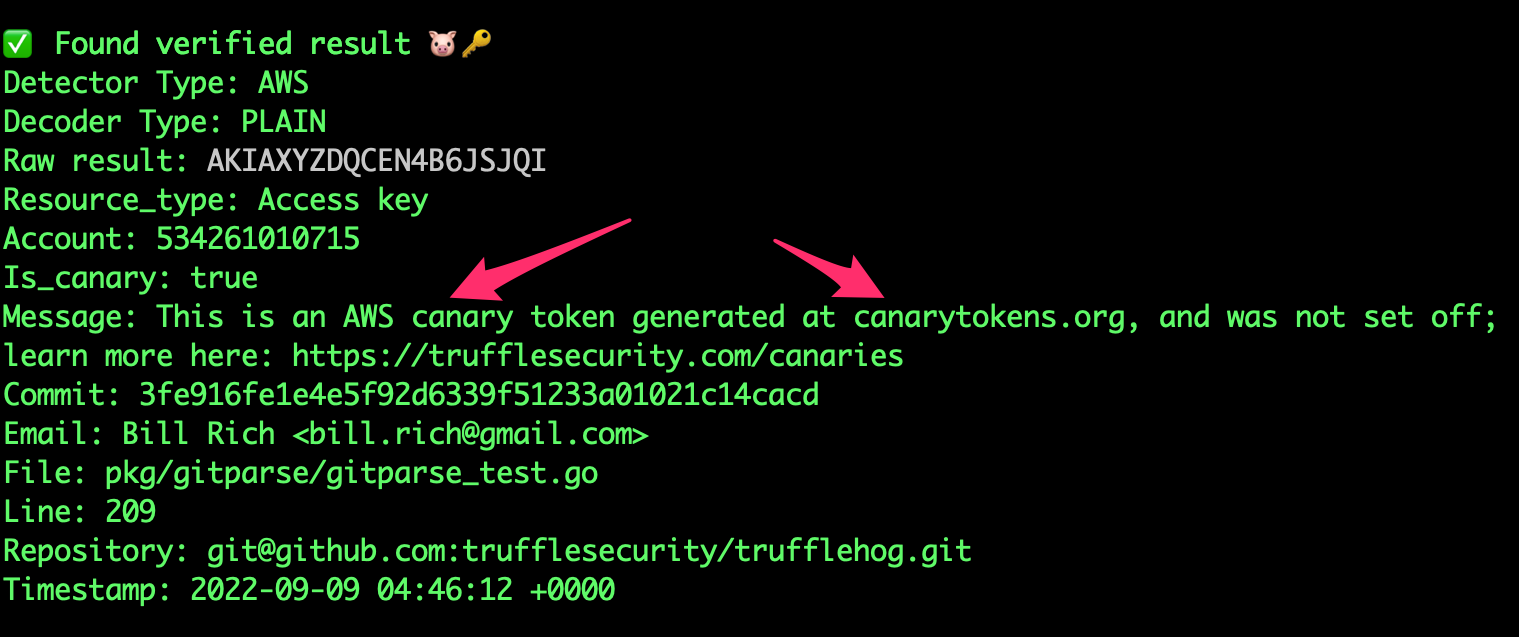
Constrained peek so you can sanity-check the source material without leaving the site.
<p align="center">
<img alt="GoReleaser Logo" src="https://storage.googleapis.com/trufflehog-static-sources/pixel_pig.png" height="140" />
<h2 align="center">TruffleHog</h2>
<p align="center">Find leaked credentials.</p>
</p>
<div align="center">

</div>
:mag_right: Now Scanning
<div align="center">
<img src="https://raw.githubusercontent.com/trufflesecurity/trufflehog/main/assets/scanning_logos.svg">
...and more
To learn more about TruffleHog and its features and capabilities, visit our product page.
</div>
:globe_with_meridians: TruffleHog Enterprise
Are you interested in continuously monitoring Git, Jira, Slack, Confluence, Microsoft Teams, Sharepoint (and more) for credentials? We have an enterprise product that can help! Learn more at https://trufflesecurity.com/trufflehog-enterprise.
We take the revenue from the enterprise product to fund more awesome open source projects that the whole community can benefit from.
</div>
What is TruffleHog 🐽
TruffleHog is the most powerful secrets Discovery, Classification, Validation, and Analysis tool. In this context, secret refers to a credential a machine uses to authenticate itself to another machine. This includes API keys, database passwords, private encryption keys, and more.
Discovery 🔍
TruffleHog can look for secrets in many places including Git, chats, wikis, logs, API testing platforms, object stores, filesystems and more.
Classification 📁
TruffleHog classifies over 800 secret types, mapping them back to the specific identity they belong to. Is it an AWS secret? Stripe secret? Cloudflare secret? Postgres password? SSL Private key? Sometimes it's hard to tell looking at it, so TruffleHog classifies everything it finds.
Validation ✅
For every secret TruffleHog can classify, it can also log in to confirm if that secret is live or not. This step is critical to know if there’s an active present danger or not.
Analysis 🔬
For the 20 some of the most commonly leaked out credential types, instead of sending one request to check if the secret can log in, TruffleHog can send many requests to learn everything there is to know about the secret. Who created it? What resources can it access? What permissions does it have on those resources?
:loudspeaker: Join Our Community
Have questions? Feedback? Jump into Slack or Discord and hang out with us.
Join our Slack Community
Join the Secret Scanning Discord
:tv: Demo
docker run --rm -it -v "$PWD:/pwd" trufflesecurity/trufflehog:latest github --org=trufflesecurity
:floppy_disk: Installation
Several options are available for you:
MacOS users
brew install trufflehog
Docker:
<sub><i>Ensure Docker engine is running before executing the following commands:</i></sub>
Unix
docker run --rm -it -v "$PWD:/pwd" trufflesecurity/trufflehog:latest github --repo https://github.com/trufflesecurity/test_keys
Windows Command Prompt
docker run --rm -it -v "%cd:/=\%:/pwd" trufflesecurity/trufflehog:latest github --repo https://github.com/trufflesecurity/test_keys
Windows PowerShell
docker run --rm -it -v "${PWD}:/pwd" trufflesecurity/trufflehog github --repo https://github.com/trufflesecurity/test_keys
M1 and M2 Mac
docker run --platform linux/arm64 --rm -it -v "$PWD:/pwd" trufflesecurity/trufflehog:latest github --repo https://github.com/trufflesecurity/test_keys
Binary releases
Download and unpack from https://github.com/trufflesecurity/trufflehog/releases
Compile from source
git clone https://github.com/trufflesecurity/trufflehog.git
cd trufflehog; go install
Using installation script
curl -sSfL https://raw.githubusercontent.com/trufflesecurity/trufflehog/main/scripts/install.sh | sh -s -- -b /usr/local/bin
Using installation script, verify checksum signature (requires cosign to be installed)
curl -sSfL https://raw.githubusercontent.com/trufflesecurity/trufflehog/main/scripts/install.sh | sh -s -- -v -b /usr/local/bin
Using installation script to install a specific version
curl -sSfL https://raw.githubusercontent.com/trufflesecurity/trufflehog/main/scripts/install.sh | sh -s -- -b /usr/local/bin <ReleaseTag like v3.56.0>